

Opens with a scan — no app
Guests scan the QR code and see your menu instantly on their phone, with nothing to download.
Turn your restaurant or cafe menu into an interactive digital menu guests open by scanning a QR code — no app. Upload a photo and AI builds it with items, prices, and dish photos, then publish it on a QR link in about a minute. Update prices anytime, with no reprinting.
Free preview. No app for your guests. Edit anytime.
Or click to choose from your device. A clear photo gives the best result.
JPG · PNG · PDF — up to 15MB
We use your photo only to build your menu. No sign-up needed to preview.
Trusted by restaurants and cafes across the Gulf
By the numbers
1 minute
from photo to a live menu
No app
opens straight from a QR scan
Zero
reprints when prices change
400+
restaurants & cafes trust us
Why a QR menu
Guests scan the QR code and see your menu instantly on their phone, with nothing to download.
Change prices or items in seconds; the menu updates live for everyone, instantly.
AI adds a photo to each item, lifting orders on your highest-margin dishes.
A multi-language menu that switches text direction automatically for your guests.
Add a WhatsApp button and a Google Maps link so guests reach you directly.
A structured digital menu helps your restaurant show up in Search and Maps.
How it works
Upload your menu
A photo or PDF of your current menu.
Preview & edit
AI builds it; review prices and fix any gaps.
Publish live
Sign up and subscribe — your QR menu goes live instantly.
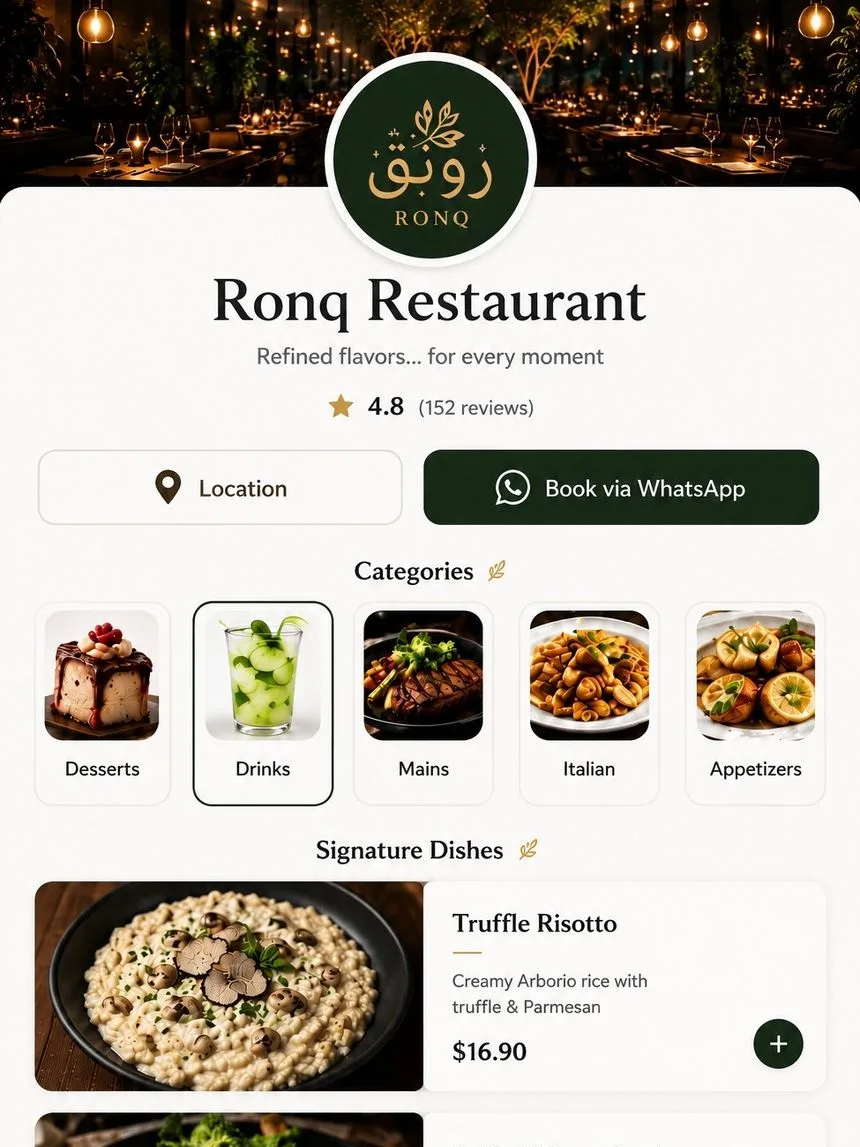
Example
Your same menu, as a fast, clear mobile experience your guest opens with a single scan.
What owners say
“We uploaded an old phone photo and got back a menu that looks like a design studio made it. Guests order faster now.”
Sara Al-Otaibi
Roast & Table, Riyadh
“I saw the redesign before paying, so there was zero risk. Paid once and printed it the same day.”
Khalid Al-Mutairi
Najd Bites, Dammam
“The improvement report showed exactly what changed. Cleaner prices and sections made a real difference.”
Mona Hassan
Olive Tree Cafe, Jeddah
Do guests need an app to open the menu?
No. They scan the QR code with their phone camera and the menu opens right in the browser.
Can I edit prices and items later?
Yes — edit anytime from the dashboard and changes show instantly to everyone who opens the menu.
How long does it take to build?
Upload a photo of your menu and AI builds it in about a minute; you preview it before publishing.
Does it support more than one language?
Yes — Arabic, English, and more, with text direction handled automatically.
How do I get the QR code?
After you subscribe and publish, we generate a QR code and a ready-to-print link for tables and stickers.
How much does it cost?
Previewing is free, no card. Publishing on a QR link is a monthly or yearly subscription — you'll see the plans when you sign up.
Upload your menu photo and see your digital menu free, before any subscription.
Free preview. No app for your guests. Edit anytime.